Drill for Anime Controls & Inputs
PC, mobile, and gamepad basics for drilling, fighting, and managing units in Nomel Studios' Roblox experience.
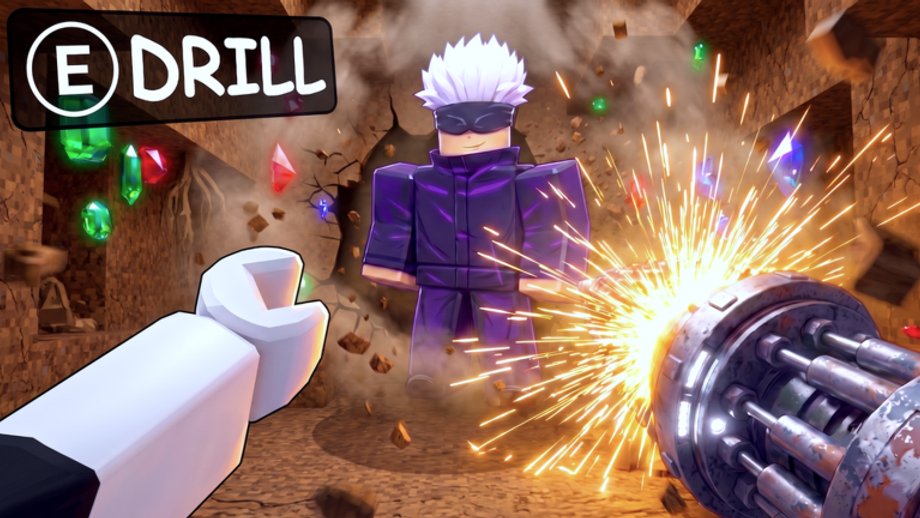
Sluggish drilling or lost fights in Drill for Anime are not always account problems — sometimes they are control problems. Nomel Studios’ Roblox place (117459530347460) runs on PC, mobile, and console-style inputs with the standard Roblox camera and touch overlays. This guide documents the expected control scheme for drilling downward, engaging anime-style unit encounters, opening menus (including the disputed codes UI), and adjusting settings so your sessions match the pace assumed in Getting Started, Drill Upgrades, and Earn Faster.
Controls can change after patches — verify in-game if a label differs. Drill for Brainrots uses a different layout; do not remap from that game.
Platform overview
| Platform | Input style | Notes |
|---|---|---|
| PC | Keyboard + mouse | Best camera control for depth runs |
| Mobile | Touch + on-screen buttons | Enable Roblox shift lock if available |
| Tablet | Larger touch targets | Similar to mobile; watch overheating throttling |
| Gamepad | Roblox default bindings | May need sensitivity tweaks in Roblox settings |
Performance drops on low-end phones feel like bad drill stats — test on PC once to compare.
PC controls (typical Roblox layout)
Exact bindings follow Roblox defaults unless the experience overrides them:
| Action | Default input |
|---|---|
| Move character / drill rig | W A S D |
| Camera look | Mouse move |
| Jump (if used on surface) | Space |
| Interact / click UI | Left mouse button |
| Secondary / tool | Right mouse button (context-dependent) |
| Shift lock toggle | Shift (Roblox setting) |
| Menu / backpack | Roblox top bar or ~ for console in some setups |
Drilling often combines movement toward target tiles plus holding interact or click on breakable ground. If your drill stalls, hold the interact button rather than tapping — many Roblox dig games use hold-to-break.
Mobile controls
- Virtual joystick — move rig toward dig target.
- Jump button — surface navigation only on some maps.
- Action button — tap or hold to break tiles; hold usually faster.
- Camera swipe — aim at next layer before moving — bad camera loses DPS.
Enable Shift Lock in Roblox settings if the game supports it; it keeps orientation stable while descending.
Pinch-zoom helps read depth markers on small screens.
Drilling mechanics and input tips
- Pre-aim camera — rotate before walking; mid-tile corrections waste seconds that add up over Earn Faster sessions.
- Break order — target weakest adjacent tile if the game highlights hardness colors.
- Combo with upgrades — Drill Upgrades multiply good input; they cannot fix zero input.
- Avoid fight menu overlap — do not open inventory while break-hold active; input can drop.
Combat controls during unit encounters
When anime-style units attack during digs:
- Move out of telegraphed AoE markers if the fight uses ground warnings.
- Click / tap attack prompts if the drill switches to combat mode.
- Finish quickly — fight time is lost drill time unless drops are guaranteed.
If deaths repeat with adequate upgrades, lower Roblox graphics quality — frame drops delay dodge windows.
Collect defeated or recruited units through proximity prompts; confirm new rarity in inventory before opening Lucky Blocks you saved.
UI menus: shop, units, codes
Standard Roblox experience buttons along screen edges open:
- Drill upgrade shop — spend cash on speed, depth, combat.
- Unit roster / level — tap unit → upgrade → confirm.
- Lucky block inventory — open from items or shop tab.
- Codes — text box for strings like LUCK26 or EPIC (see Codes).
Codes menu dispute: some players report no visible codes button after launch. Try: settings gear, shop sidebar, or scrollable left HUD. If absent, codes may be temporarily disabled — Discord announcements from Nomel Studios supersede wiki steps.
Camera settings in Roblox
Open Roblox Settings → Graphics / Controls:
- Lower graphics if FPS unstable during fights.
- Toggle Shift Lock for consistent forward dig on mobile.
- Adjust mouse sensitivity on PC for fast layer transitions.
Drill for Anime has no public Trello for control changelogs — watch Updates and Discord.
Accessibility and comfort
- Larger UI scale on mobile helps fat-finger errors on level buttons.
- Short sessions reduce cramp; pair with Offline Earnings instead of marathon holding.
- PC players can use Roblox’s built-in gamepad mode if keyboard uncomfortable.
Troubleshooting common control issues
| Symptom | Likely fix |
|---|---|
| Drill will not break tile | Hold interact; re-aim camera; check stamina stat |
| Character slides off target | Enable shift lock; tap-stop movement |
| Cannot open codes | UI moved or disabled — see Codes hub |
| Fights feel laggy | Lower graphics; close background apps |
| Wrong game mechanics | Confirm place 117459530347460 (not Brainrots) |
Report persistent bugs on Discord with platform label and clip.
Related guides
- Getting Started — loop that assumes smooth input
- Drill Upgrades — stats that multiply good technique
- Earn Faster — session planning after controls feel right
- Lucky Blocks — open between runs, not mid-fight
Master the inputs once, then let Drill Upgrades and unit levels do the heavy lifting — control literacy is free progression.
Frequently Asked Questions
Quick answers for Drill for Anime on Roblox.
How do you drill downward in Drill for Anime?
Move your rig toward breakable tiles and hold the interact or action button (click on PC, on-screen button on mobile). Pre-aim the camera before moving for faster breaks.
What are the PC controls for Drill for Anime?
The game uses standard Roblox WASD movement, mouse look, and left-click interact. Exact drill binding may use hold-to-break on target tiles — check on-screen prompts.
How do mobile controls work?
Use the virtual joystick to move, swipe to rotate camera, and hold the action button to break ground. Enable Roblox shift lock if the game supports it for stable digging.
Where is the codes menu?
Community reports vary — some players see a codes button in shop or settings, others report it missing. Try the Codes hub steps and Discord if redemption fails.
Why do I keep losing fights?
Low drill combat upgrades, bad camera aim, or FPS drops. Upgrade drill stats, lower graphics settings, and read combat telegraphs before blaming unit rarity.
Do Drill for Brainrots controls match this game?
No. Drill for Anime is a separate Nomel Studios experience. Confirm place ID 117459530347460 before following control advice from other drilling games.